
Making Money with Top mVAS Offers in Mexico
5 min read
Our latest case study walks through a real-life campaign setup from our own media buyer's experience with PropellerAds.
Campaign Details
| Affiliate network: | Golden Goose |
|---|---|
| Topic: | Sweepstakes |
| Advertising format: | Push |
| Flow: | Pin Submit |
| GEO: | Mexico |
| Traffic source: | PropellerAds |
| Offer ID: | 12040 |
How to Choose an Offer
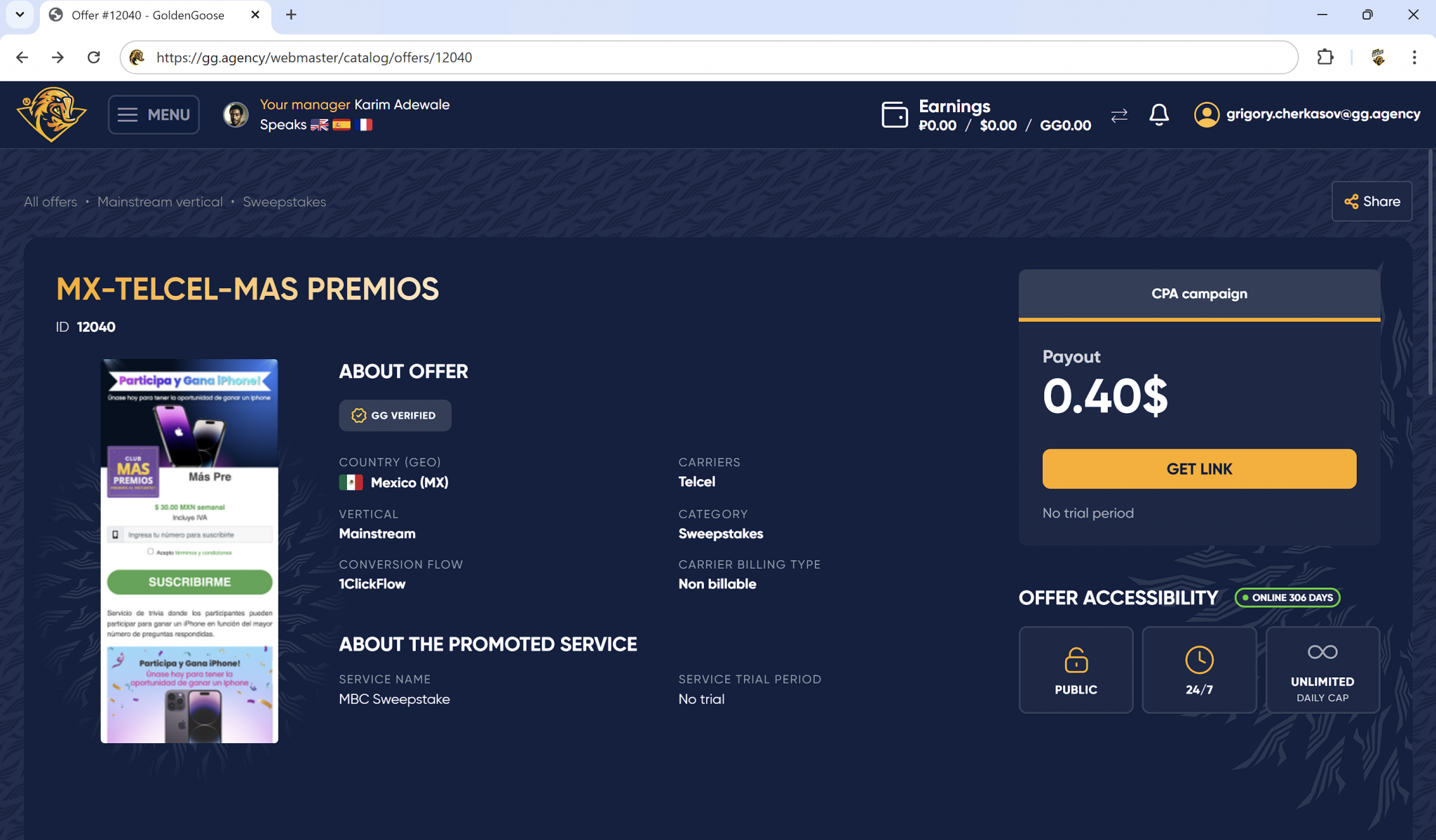
As an example how to run traffic for mVAS offers, we chose sweepstake offer: MX‑Telcel‑Mas‑Premios (12040) Payout rate: $0,4. This offer has 5 star rating at Golden Goose platform and marked as TOP OFFER. Also, landing page looks catchy, so we could make good CR and lots of conversions.
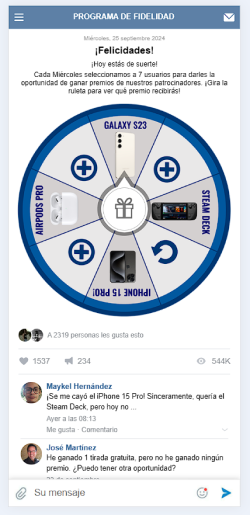
In addition we have also created custom pre landing page. Static pre-lands are boring, so we've tried to use interactive elements. Here's an example of our fortune wheel pre-land. User clicks on a gift box and then wins iPhone 15 PRO. Simple, effective and matches with our offer.
As the traffic source we have chosen Propeller Ads Network. It's one of the best network for pop and push traffic. You'll find high volume available, fast approving times, and tons of targeting options to optimize ad campaign. Keepn in mind, mVAS offers works perfect with other native Ad Networks, here's the list of most popular:
Campaign setup in Golden Goose
-
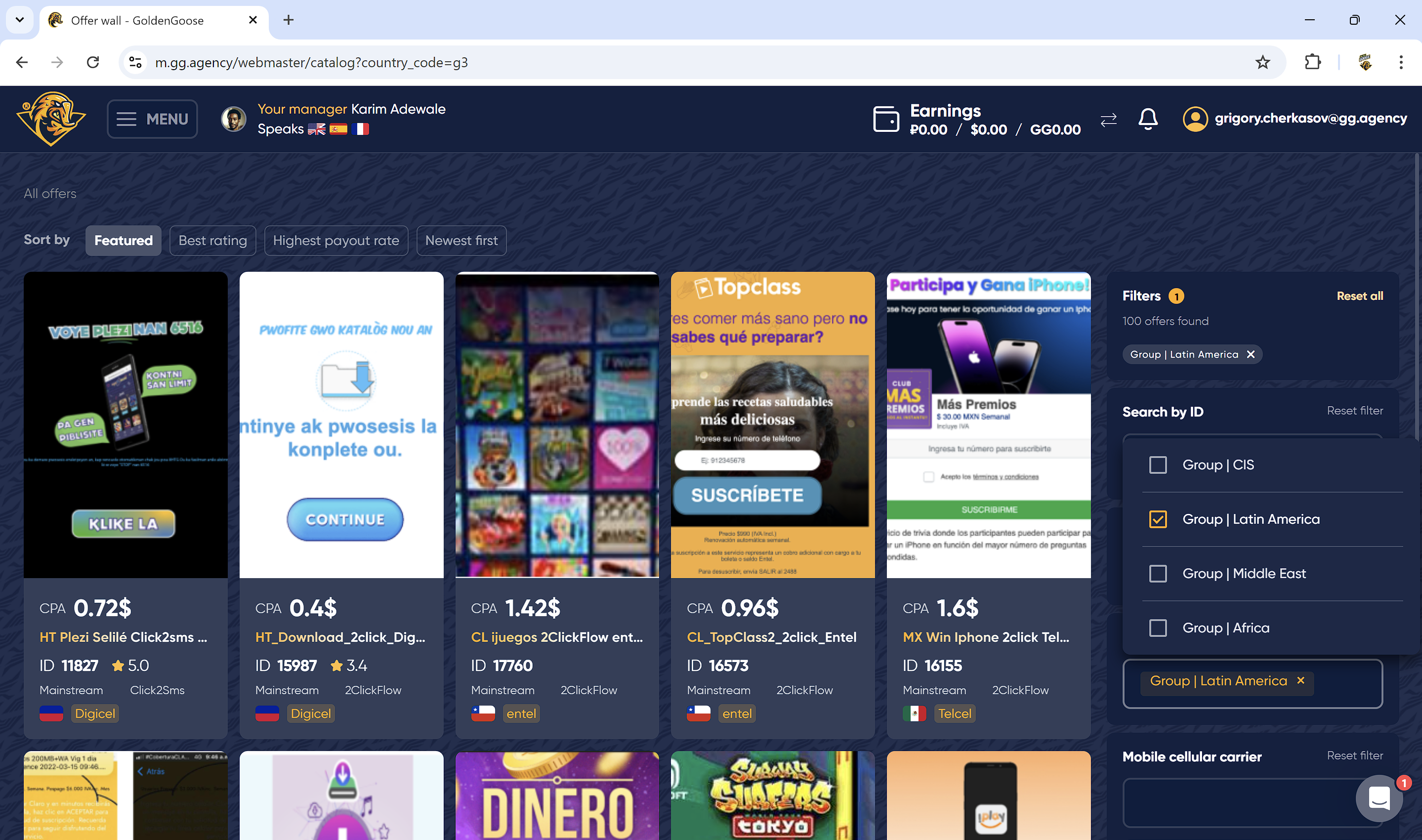
Step 1. Use search by country filter to find an offer for the right GEO.
-
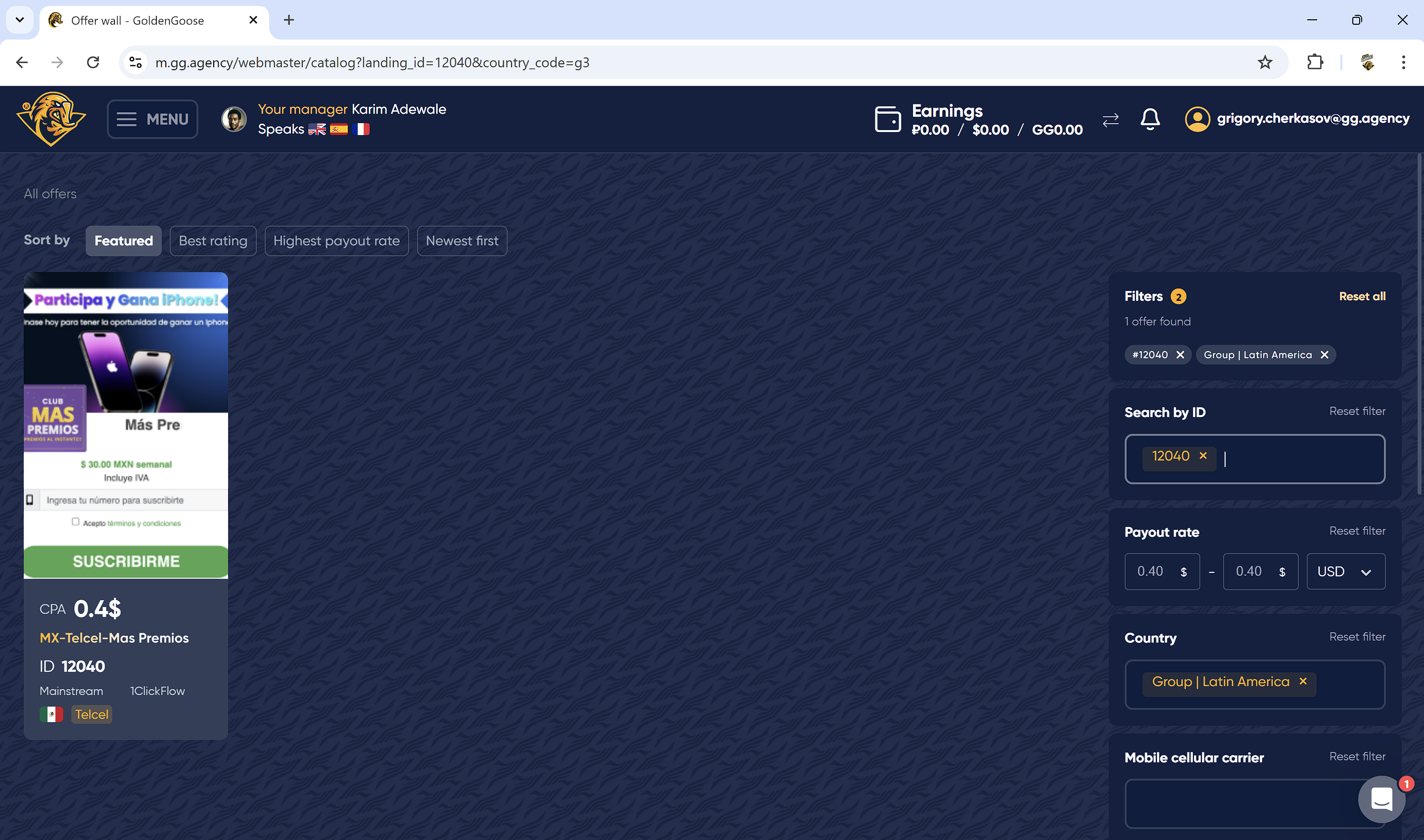
Step 2. Put the offer ID in addition & you'll see the filtered offer. Pick it & get to the next step.
-
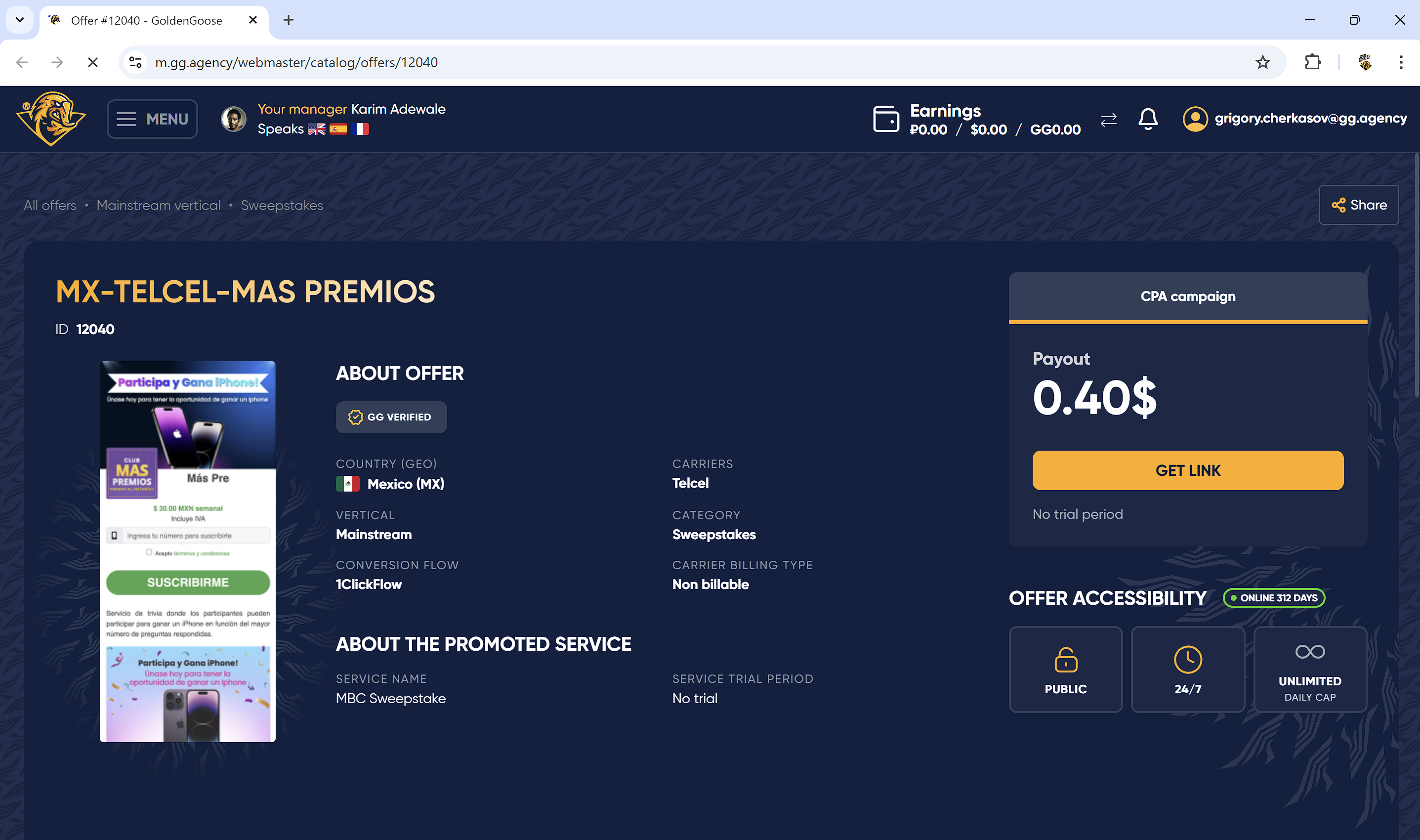
Step 3. At the offer card you'll see key information about the offer. Click on the GET LINK button to start creating campaign and get promotion link for ad network.
-
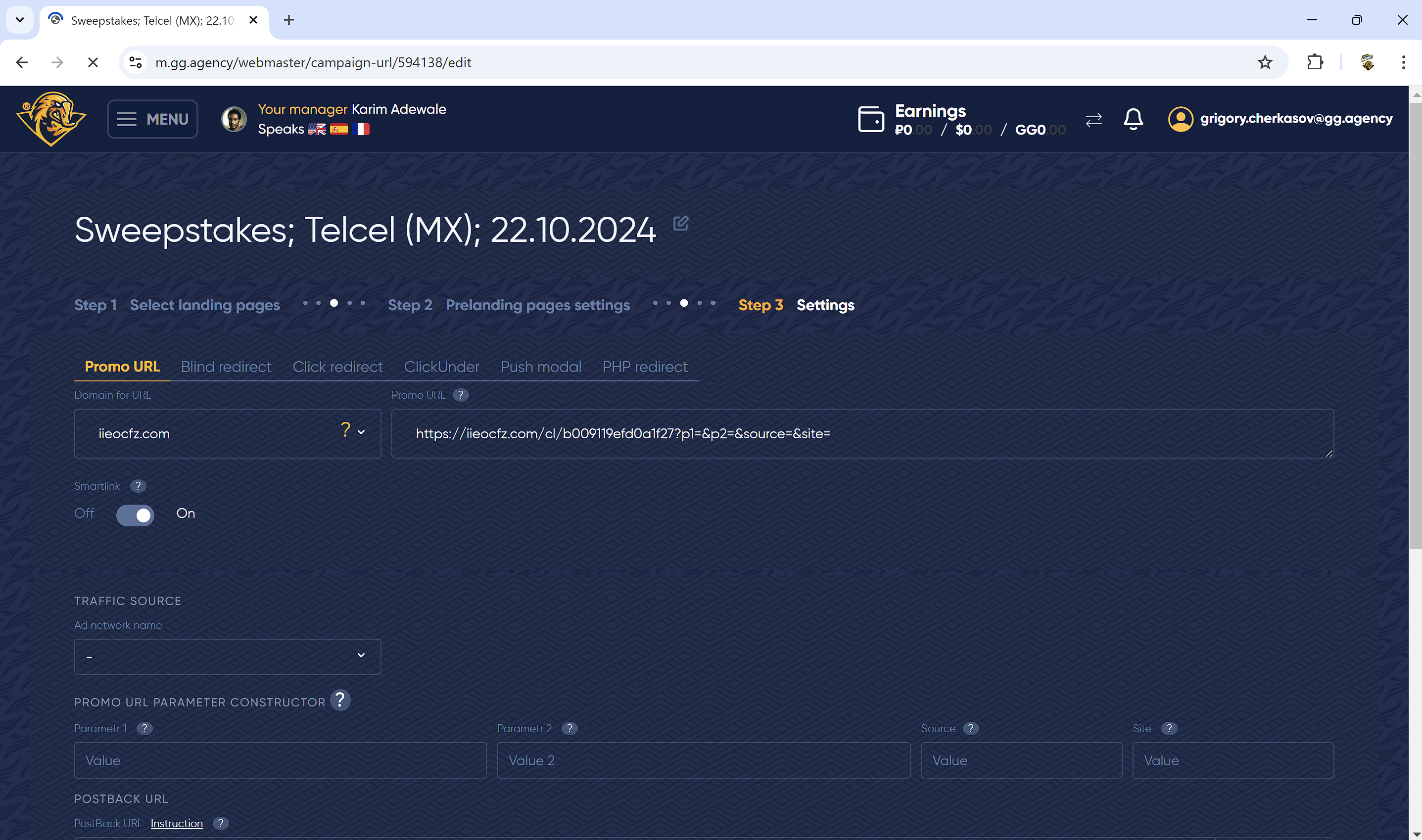
Step 4. Click on domain for URL to check all availiable domains.
-
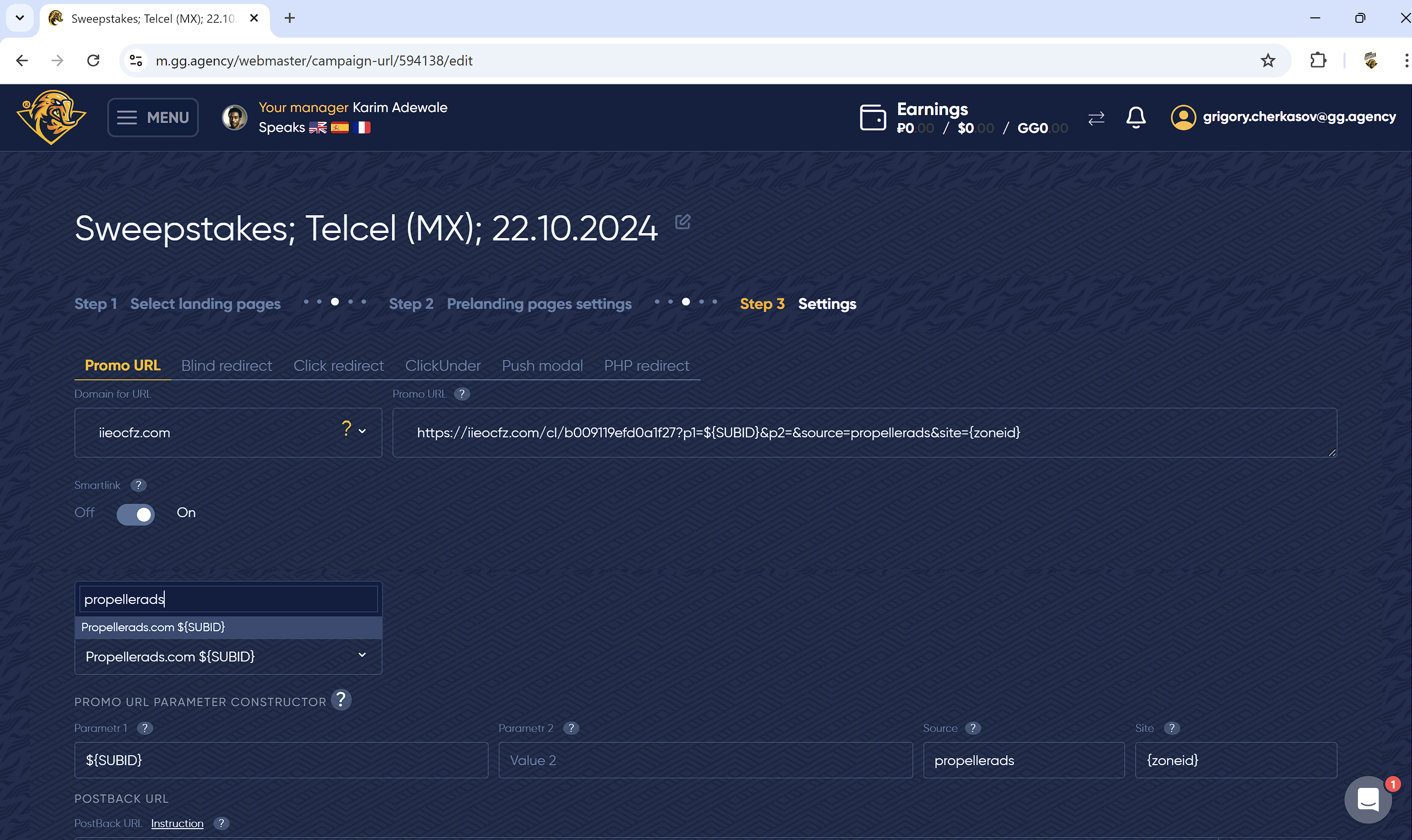
Step 5. Chose the traffic source to get parameters for your URL. In our campaign we use Propeller. Ads.
-
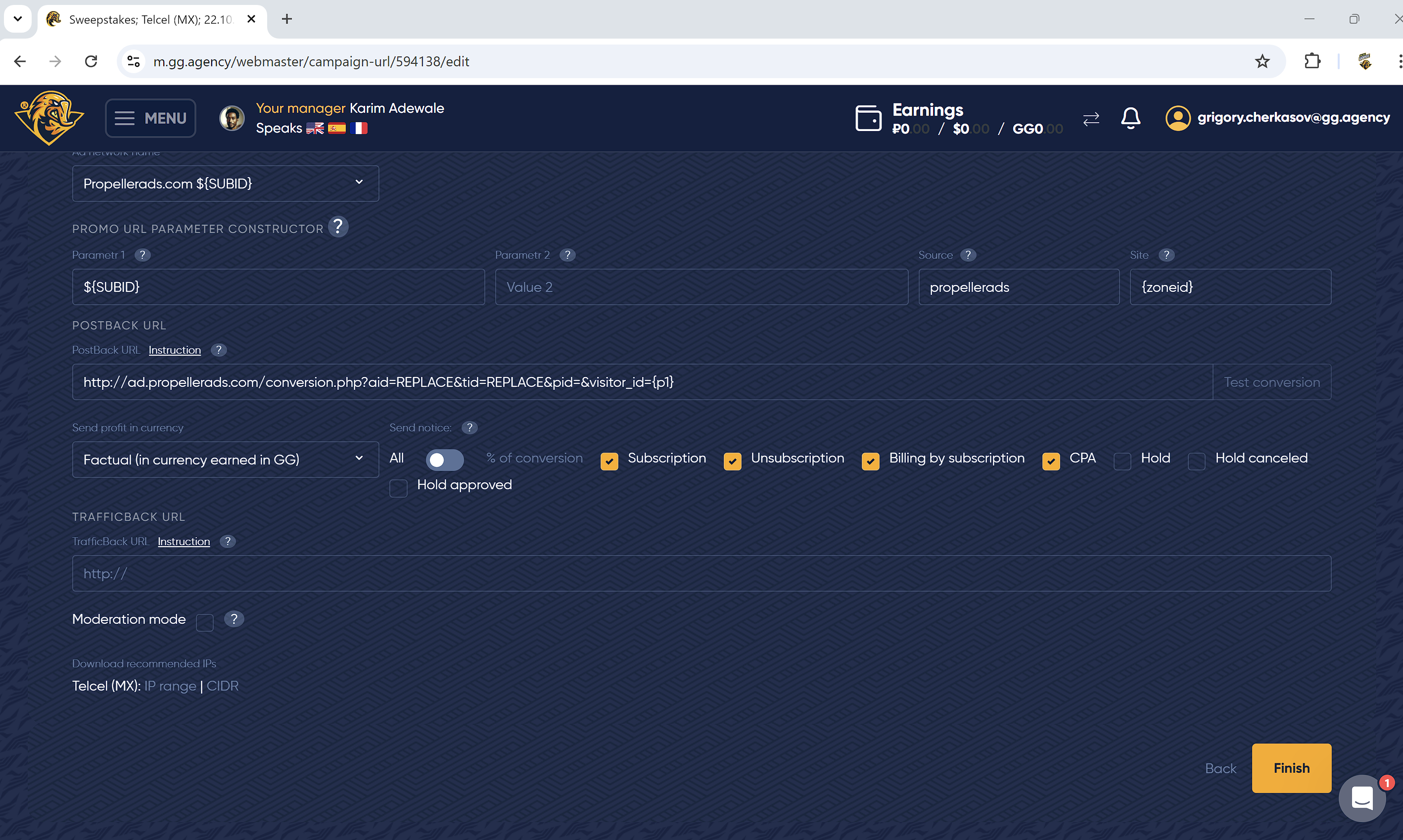
Step 6. Your promo URL is ready for promotion. Now you could use it in ad network.
-
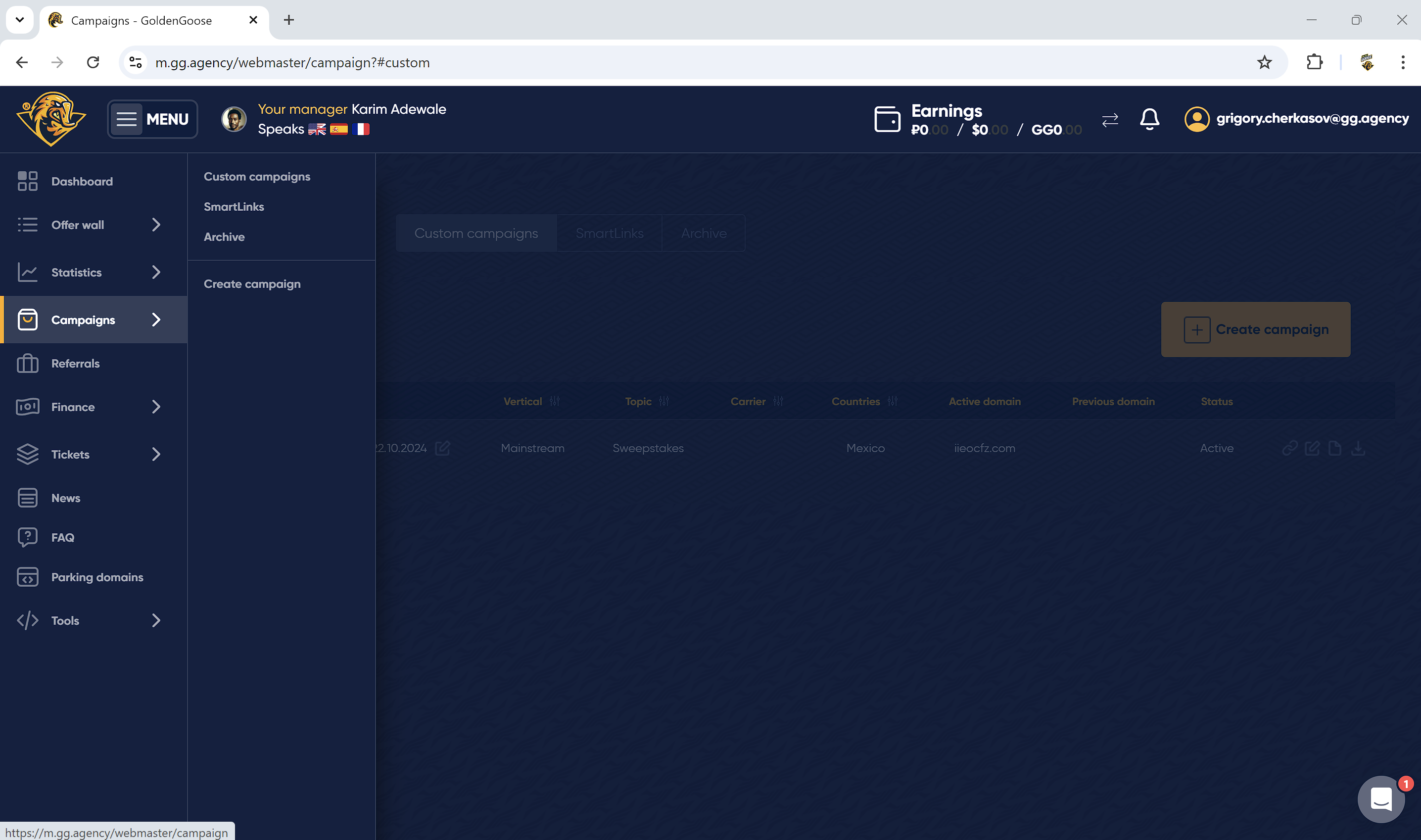
Step 7. To check all your promo campaigns with the links go to menu → campaigns.
As you can see, campaign set up in Golden Goose is quite easy and smooth, so you could get promotion link in a few steps.
Campaign setup in Propeller Ads
Now that we have our promotion link from Golden Goose, we can go to Propeller Ads Network to set up an ad campaign. We've decided to launch our offers in the classic push ad format with the following key targeting options:
- GEO — Mexico
- Smart optimization — off
- Targeting platform — Mobile
- OS — Android
- Browser — Google Chrome and Samsung Browser
- Connection type — 3G/LTE
- Proxy — No proxy
- Mobile ISP — Telcel (MX)
Additionally, we created 3 different campaigns with 3 targeting options based on Propeller Ads' user activity levels:
- Low user activity
- Medium user activity
- High user activity
Each user group has great potential (and consists of 100% real users), regardless of the expected CTR. However, it all comes down to strategy. User Activity targeting can accelerate the optimization process and enable more efficient A/B testing of creatives by segmenting ad campaigns. We also chose to target only mobile devices on Android with the Telcel mobile carrier (mobile ISP).
Steps
-
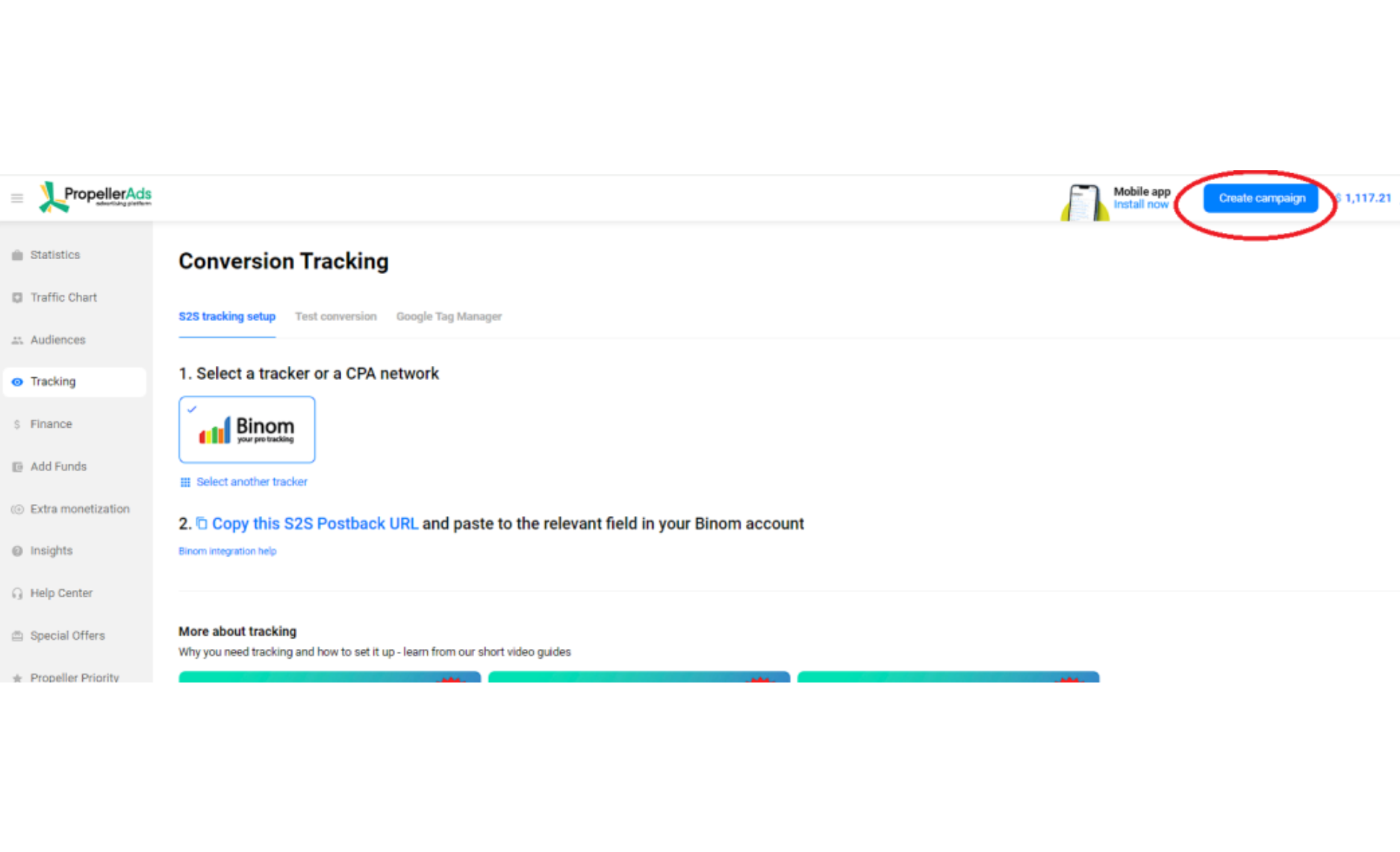
Step 1. Click on create campaign button.
-
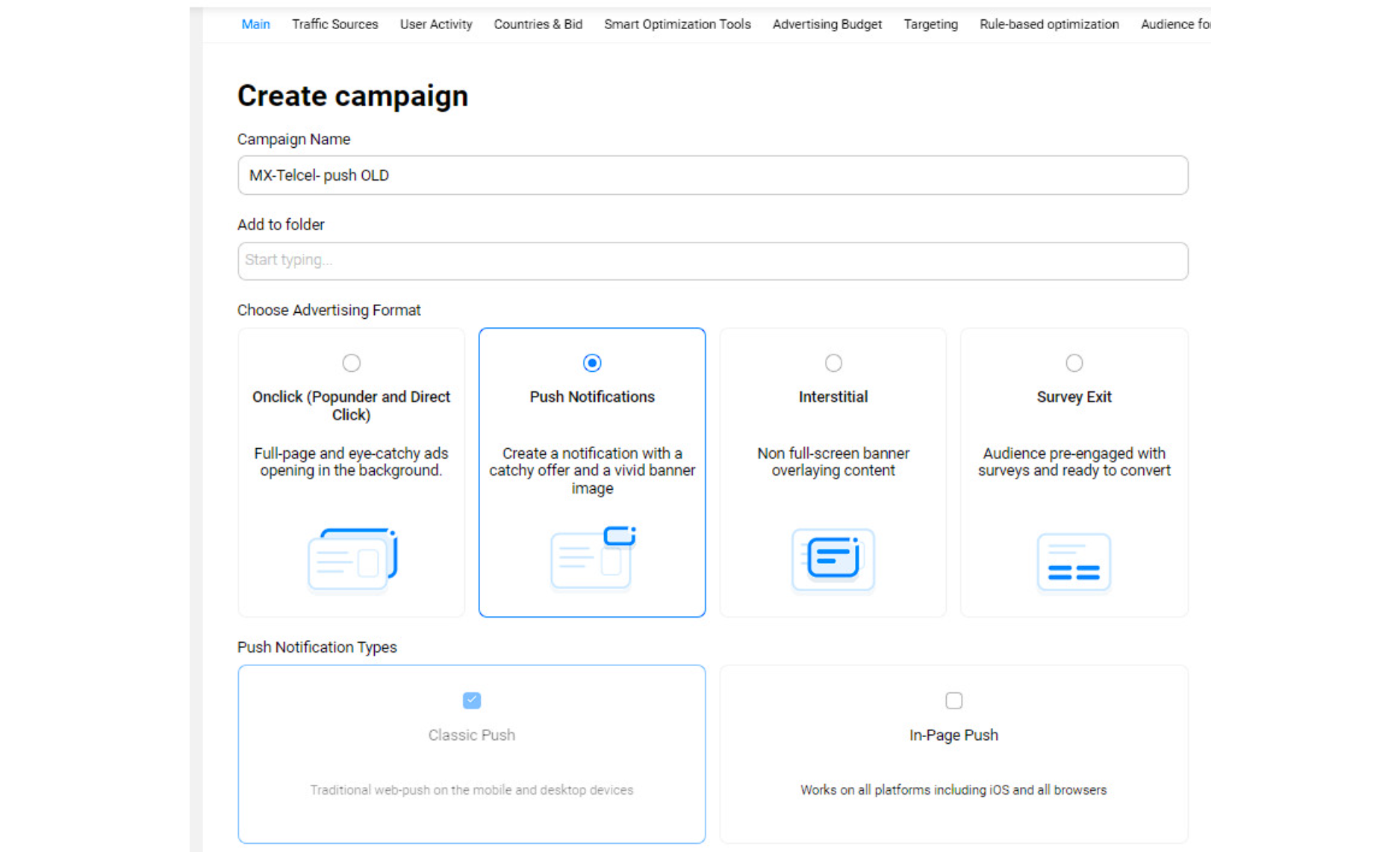
Step 2. Chose Push Notifications advertising format.
-
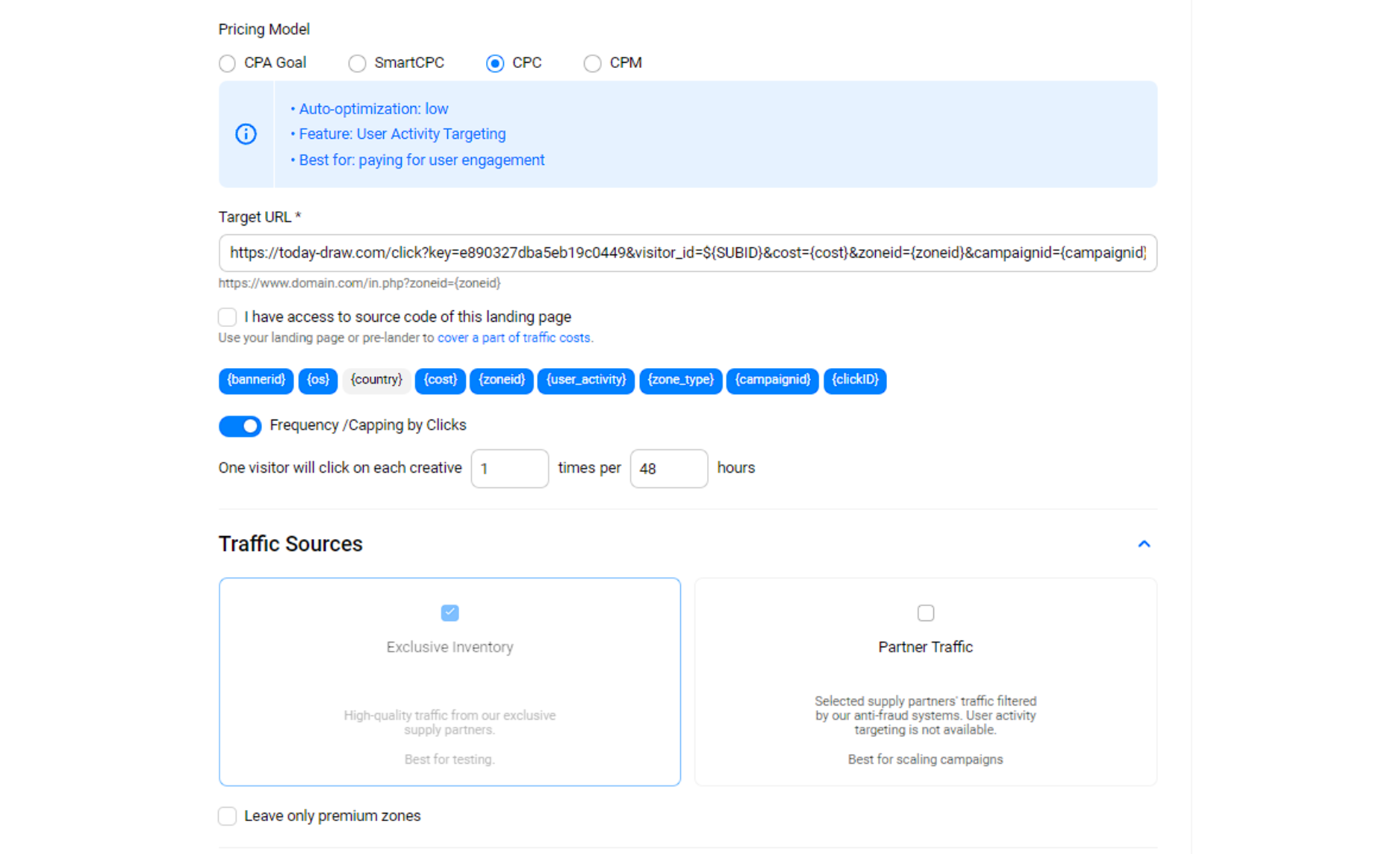
Step 3. Chose CPC pricing model and put your link from Golden Goose as a target URL.
-
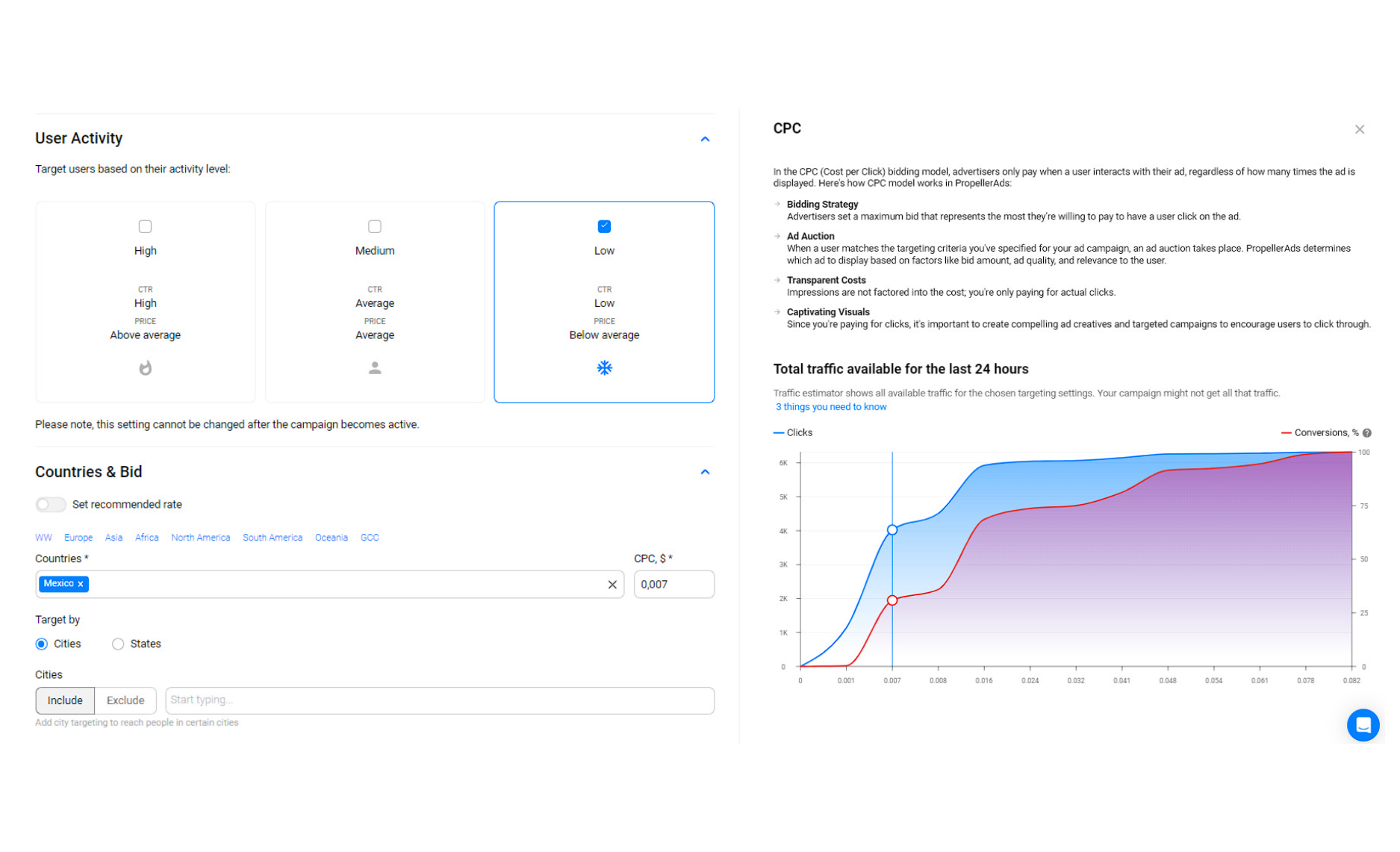
Step 4. For this ad campaign we chose «LOW» user activity option. Check the CPC estimator, it will show you bidding options for the traffic volume. We'll put 0,007$ bid to get needed volume.
-
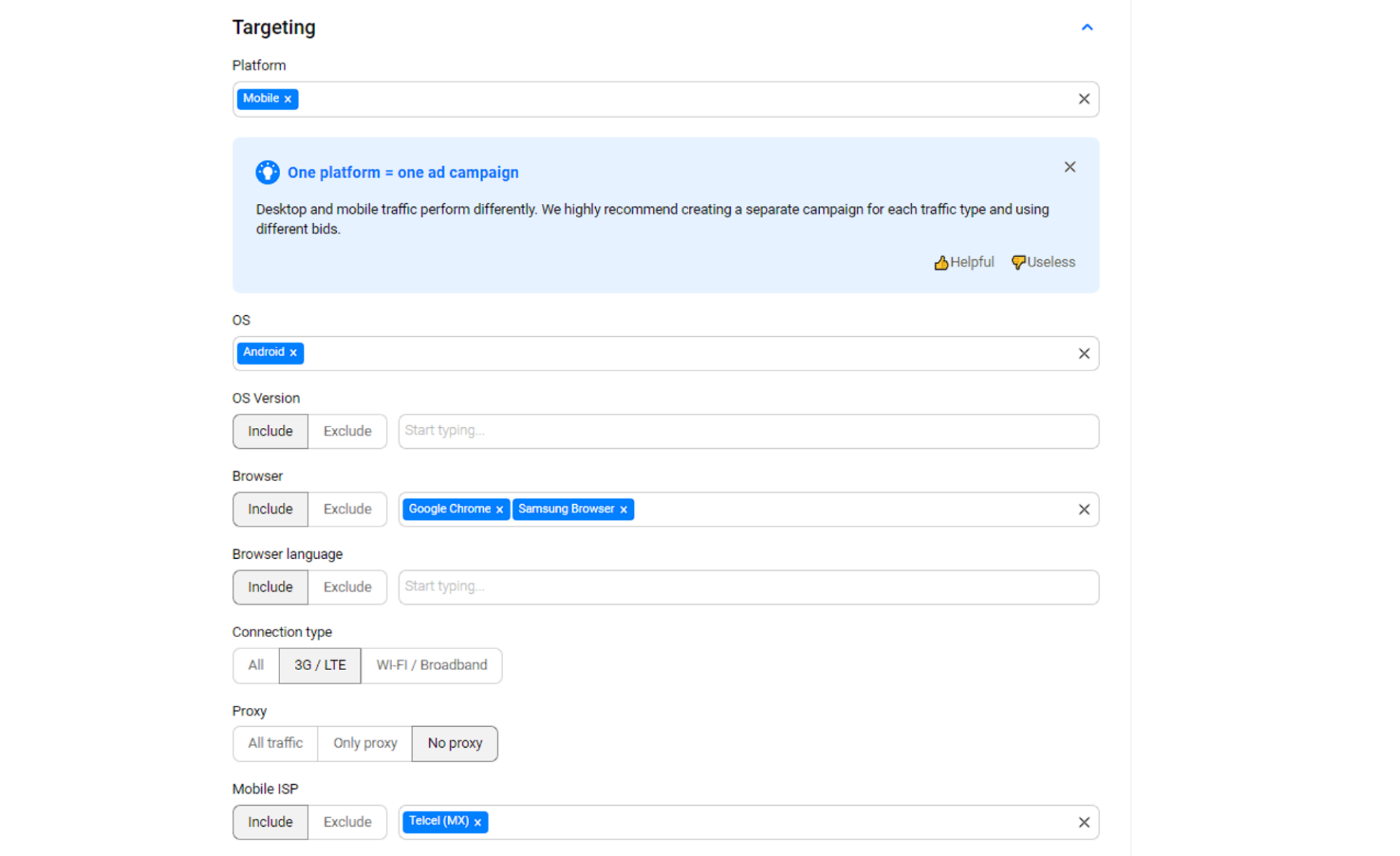
Step 5. Here we have to chose mobile devices on Android. Also, we've chosen chrome and samsung browsers (thus they have 99% of traffic) and pick Telcel mobile operator.
-
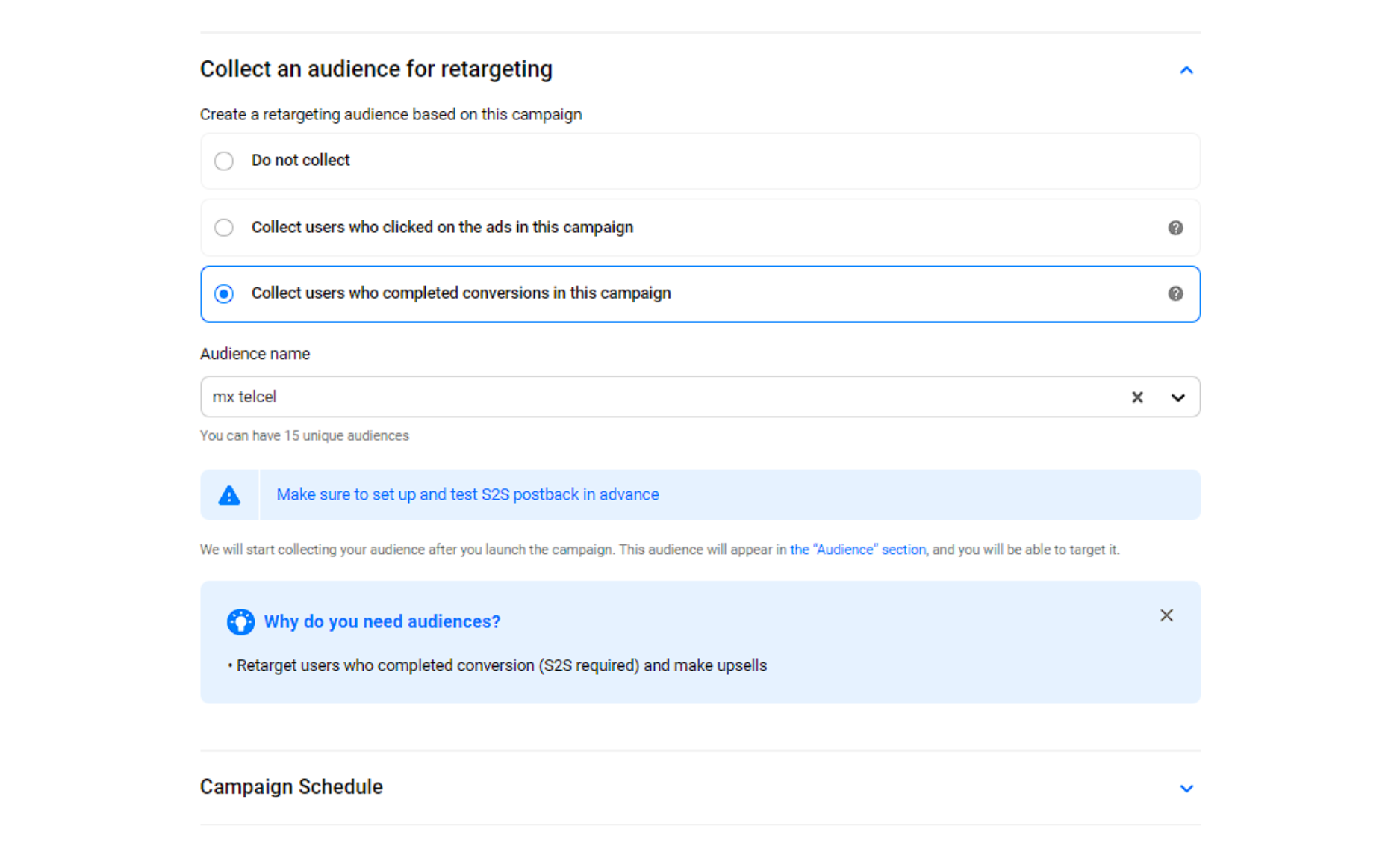
Step 6. We recommend to create and collect additional audience with conversions. In this case we could exclude those who have converted and not showing them our ads.
After all your targeting options are set up, we go to creative part of our ad campaign. At the screens below you could check the creatives wich we used for our campaign
-
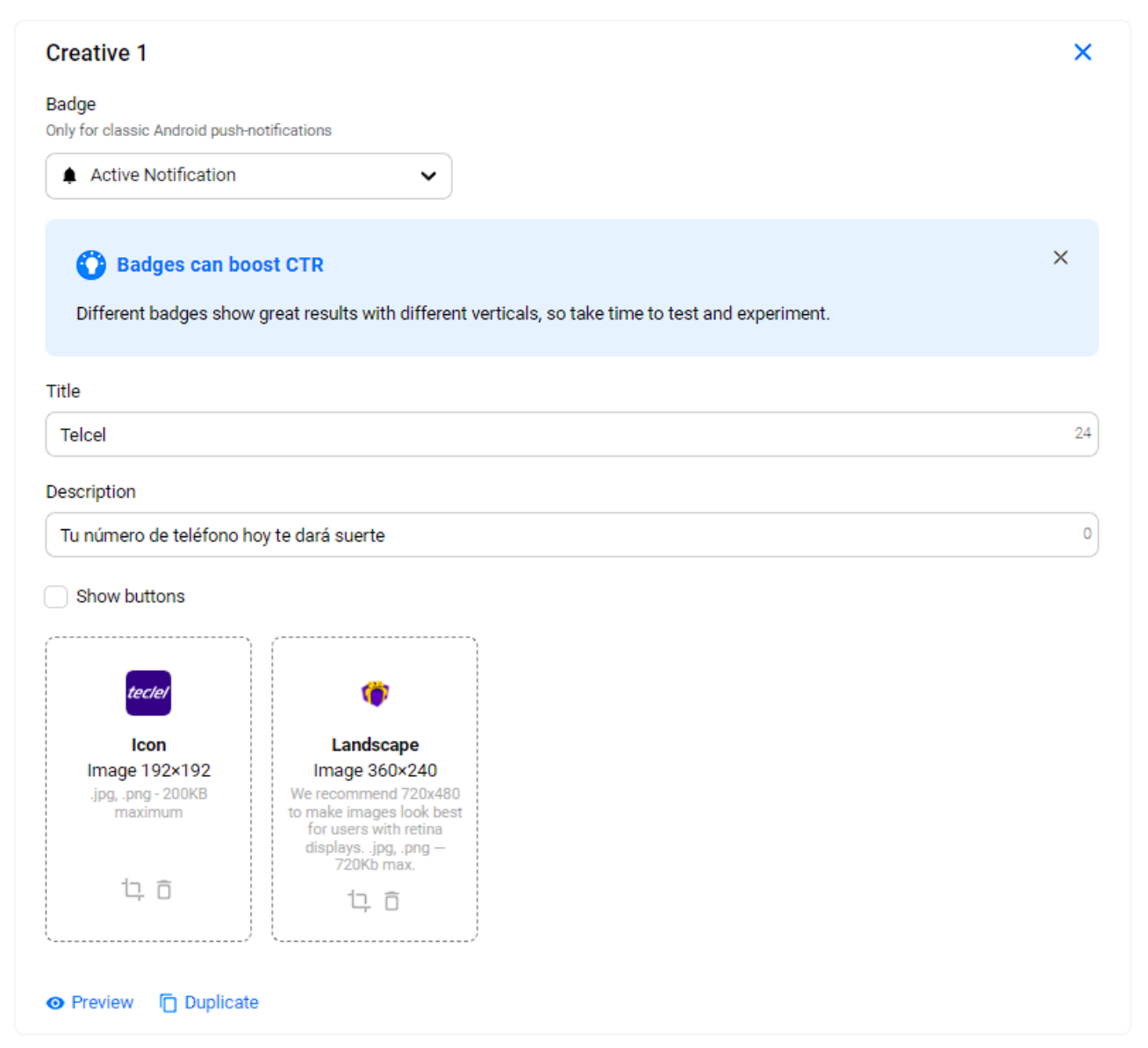
Creative #1
-
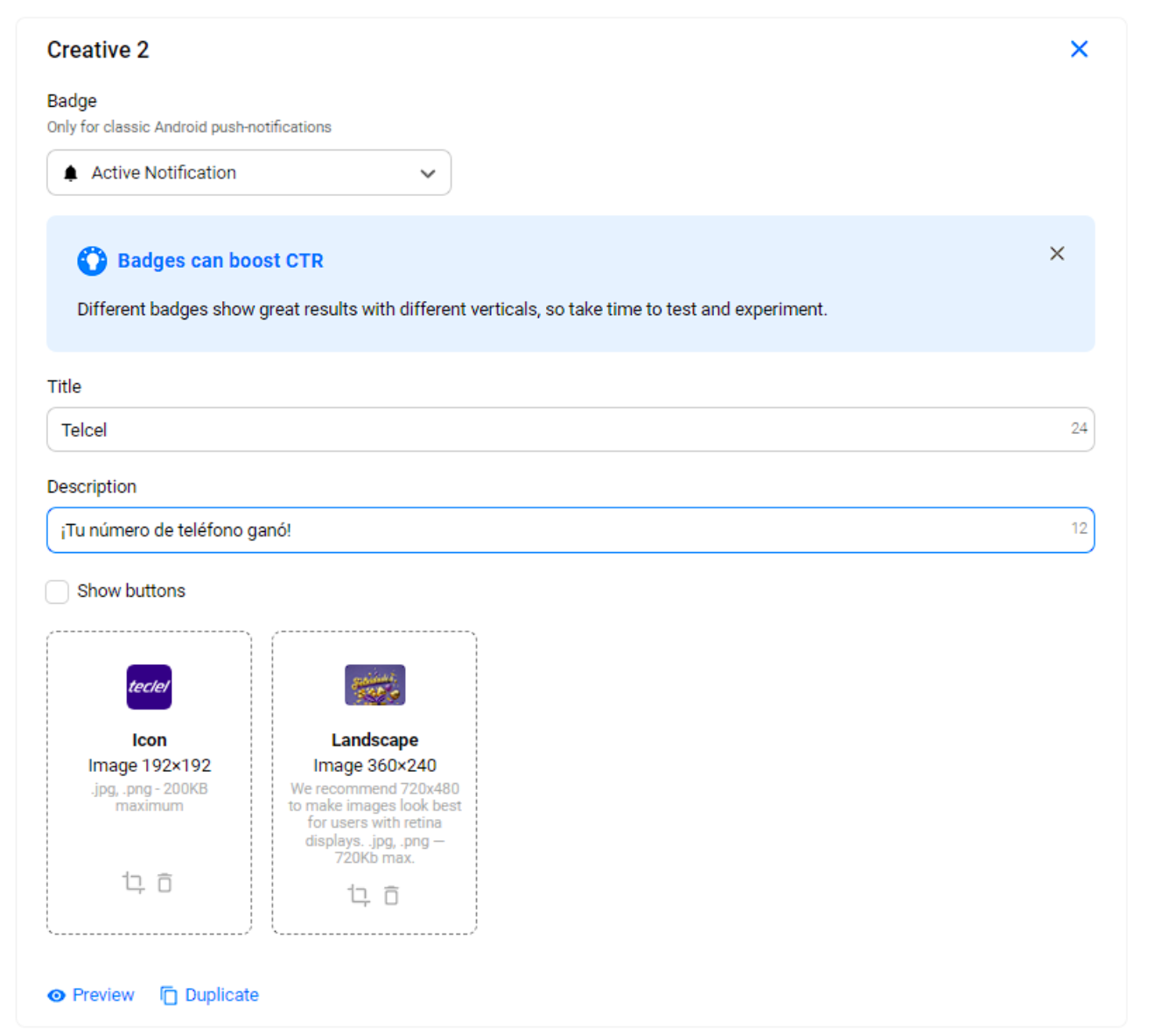
Creative #2
-
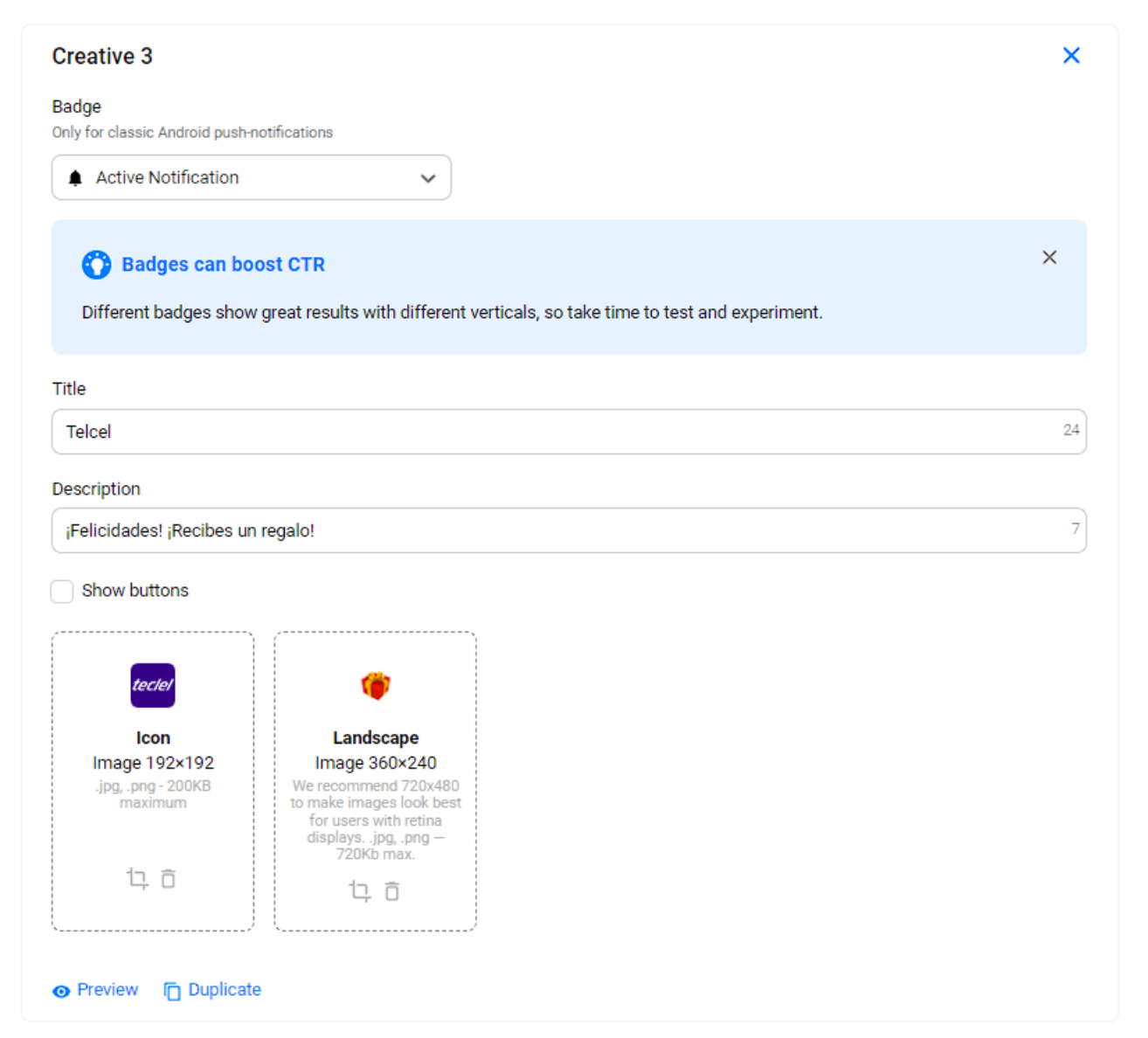
Creative #3
-
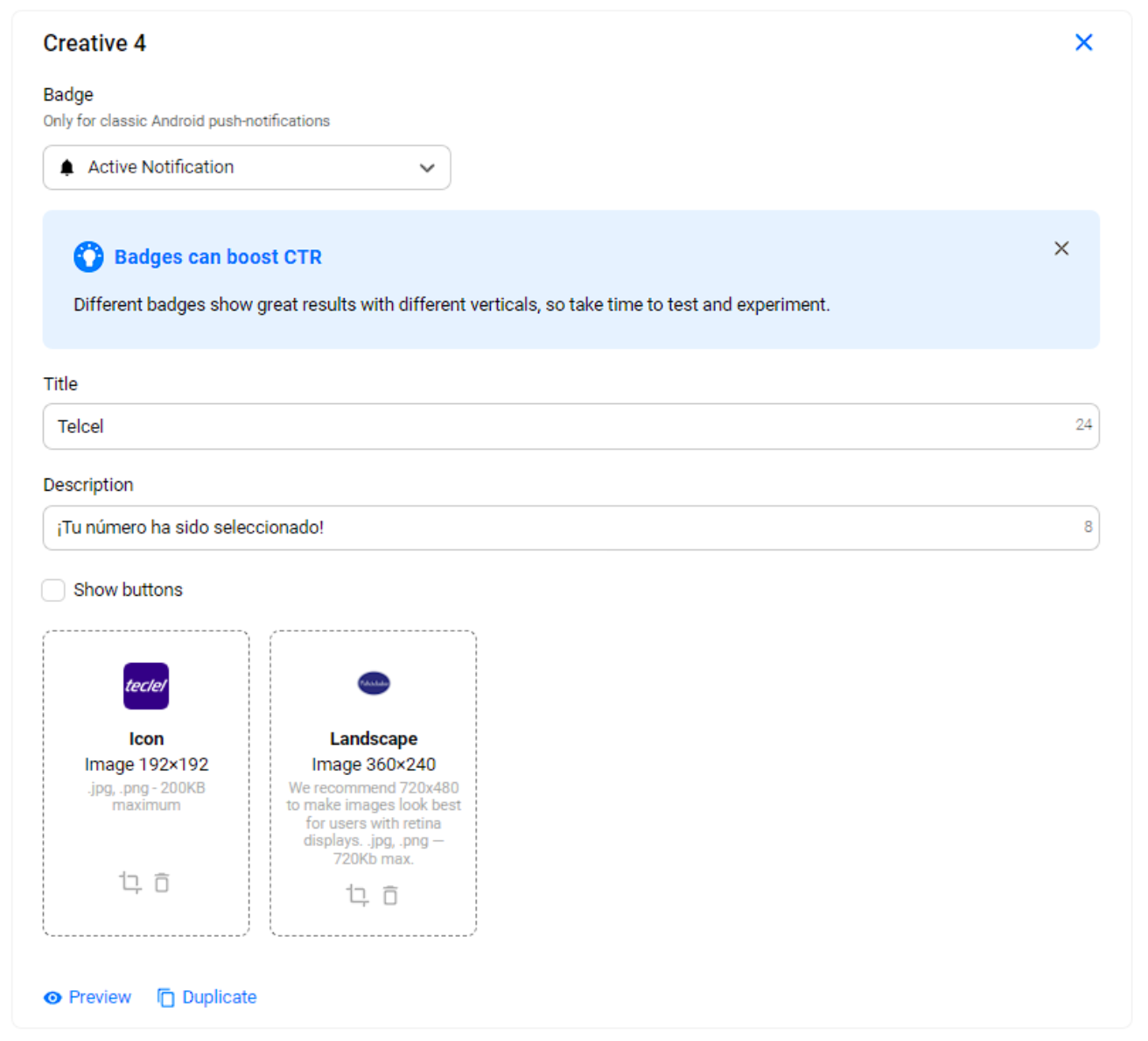
Creative #4
-
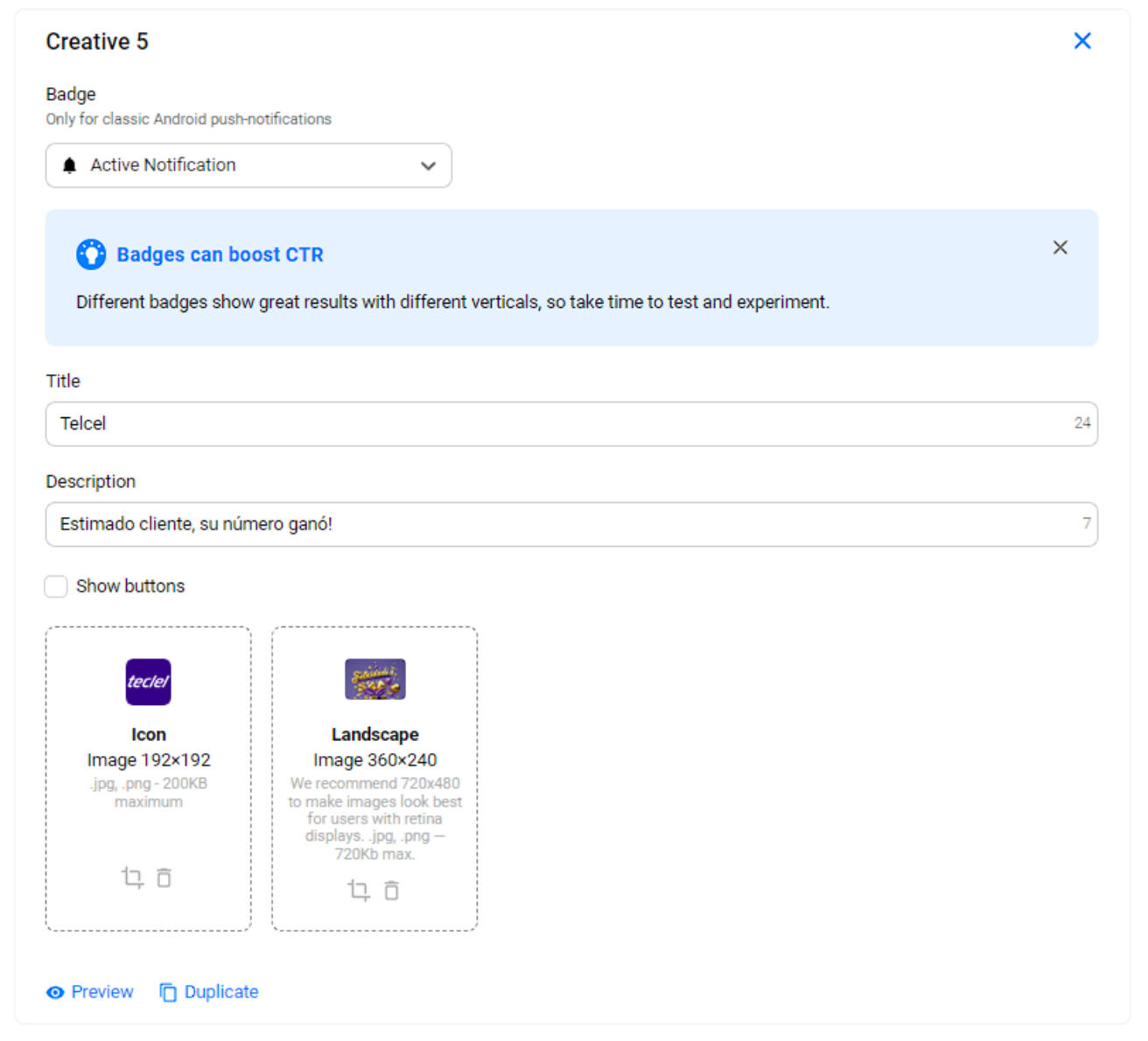
Creative #5
You could also check the preview of the creatives and how it will look like on different devices.
-
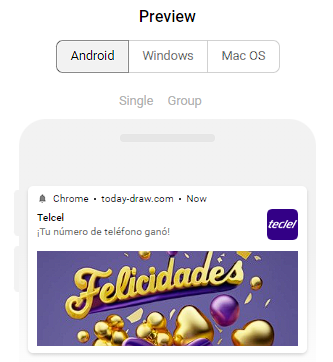
Creative 1
-
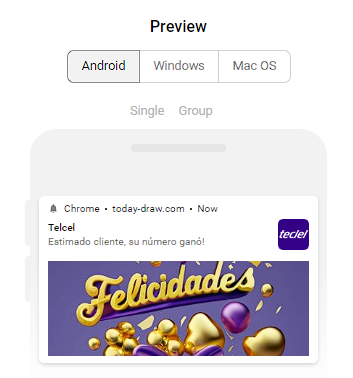
Creative 2
-
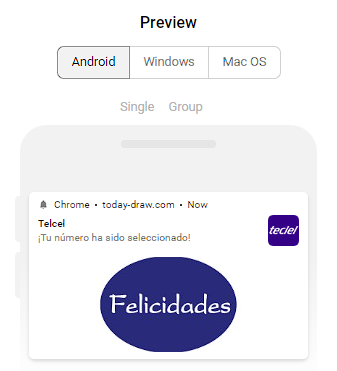
Creative 3
-
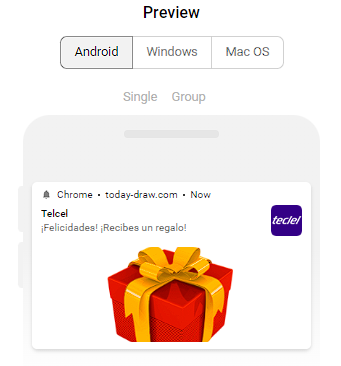
Creative 4
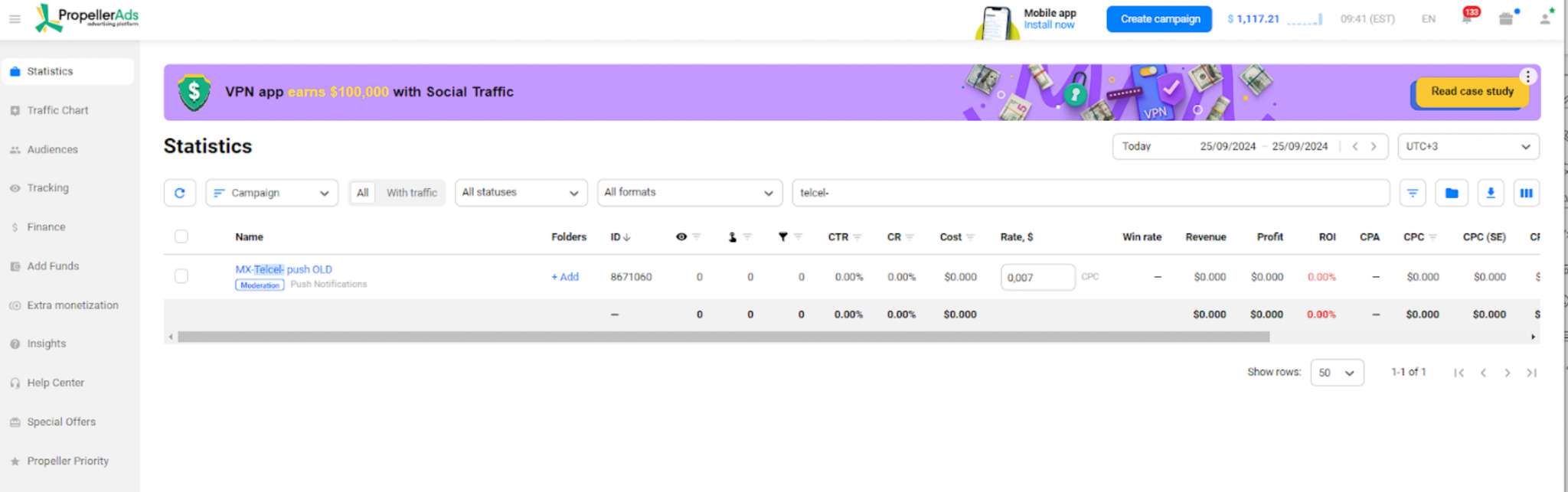
Our targeting options and creatives are prepared and set up. All we need now is to click on a «start campaign» button and it will be send to moderation.
First results
Our campaign is launched and we have already started collecting leads. Just for 6 days we have generated 275 leads with total revenue 110$

READY-MADE ANGLE
100+ ANGLES FOR PAID TRAFFIC SOURCES WAITING FOR TRAFFIC. START YOUR JOURNEY WITH HIGH CONVERTING MVAS OFFERS